
Ozync
ATTENDANCE

A Time Clock for Salon Staff, on the Kiosk You Already Have

Payroll from memory is a monthly argument. Ozync puts a time clock on the same tablet that checks in your clients: staff tap their PIN to clock in, take breaks, and clock out, and the timesheet writes itself. Forgot to clock out? Open shifts are closed at the end of the day and flagged for review. Running late? A reminder goes out before the first appointment.

Free for your first 100 clients. Then $15/mo billed annually, or $20 month to month. No per-booking fees.

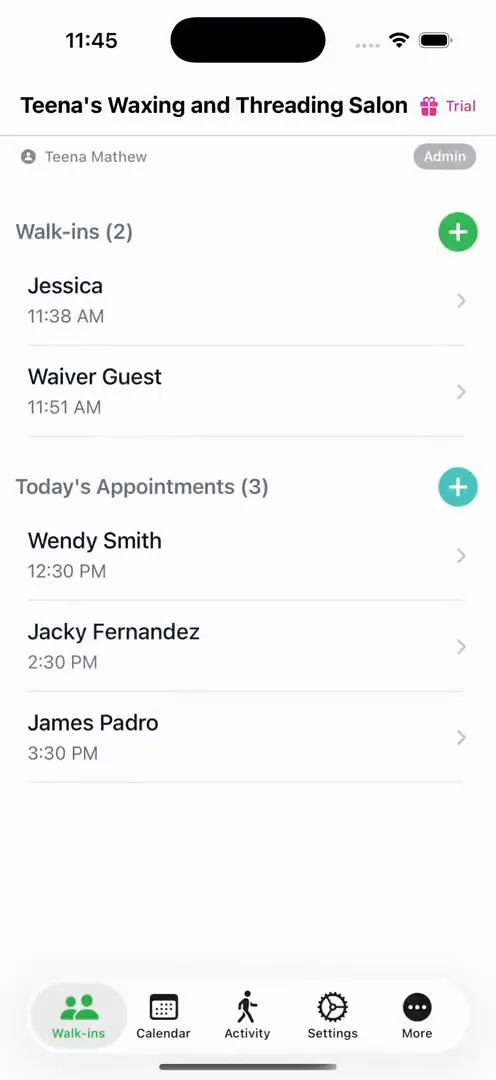
The Ozync app on a phone: the team's day, with each staff member's shifts and clients.

Clocking in

  1. 1Each staff member gets a PIN, the same one that signs their checkouts and lets them mark clients served.
  2. 2On the kiosk tablet or in the Ozync app on their phone, they tap Time Clock, enter the PIN, and they are in.
  3. 3Breaks: up to three a shift, paid or unpaid, with one tap each.
  4. 4Clock out the same way. A shift left open is closed automatically that night and marked Needs review, so a forgotten tap never turns into a 30-hour day.

Timesheets for payroll

  • Worked hours, unpaid breaks and net hours per day and per pay period, per staff member.
  • Managers can edit a shift, add a note, and see who changed what; every edit is logged.
  • Set an hourly rate per staff member and the timesheet shows the pay.
  • Export for your payroll provider or accountant.

Reminders

Ozync knows each stylist's first and last appointment of the day. With clock reminders on, a staff member who has not clocked in half an hour before their first appointment gets a nudge, and one who is still clocked in half an hour after their last gets another. Fewer forgotten punches, fewer edits on Friday.

Staff accounts and roles

Staff sign in to the Ozync app with their own account and see their own day: their queue, their appointments, their clients, and their time clock. Owners and managers see everyone. Roles decide who can edit services and settings, who can check out, and who can see the dashboard; a staff member never sees your revenue unless you give them the dashboard.

Why the kiosk is the right place

A separate time clock app means one more login and one more tablet. The check-in kiosk is already at the front, already on, and already asks for a PIN when staff serve a client. Putting the time clock there means it actually gets used.

Frequently Asked Questions

How do salon staff clock in with Ozync?

With their PIN, on the check-in kiosk tablet or in the Ozync app on their phone: Time Clock, PIN, done. Breaks and clock-out work the same way.

What if someone forgets to clock out?

The shift is closed automatically at the end of the day and marked Needs review, so a manager can set the real time.

Does it track breaks?

Yes. Up to three breaks per shift, paid or unpaid, and the timesheet shows worked and net hours.

Can managers edit a shift?

Yes, with a note. Every edit is logged with who made it.

Are there reminders to clock in?

Yes. Half an hour before a staff member's first appointment, and half an hour after their last, if they have not punched.

Can I see the pay?

Set an hourly rate per staff member and the timesheet shows hours and pay for the period.

Can staff see each other's timesheets?

No. Staff see their own; owners and managers see everyone's.

What does it cost?

Attendance is part of Ozync Pro: $15/mo billed annually or $20 month to month, free for your first 100 clients, with no per-staff charge.

A Time Clock for Salon Staff, on the Kiosk You Already Have

Free for your first 100 clients. Then $15/mo billed annually, or $20 month to month. No per-booking fees.