
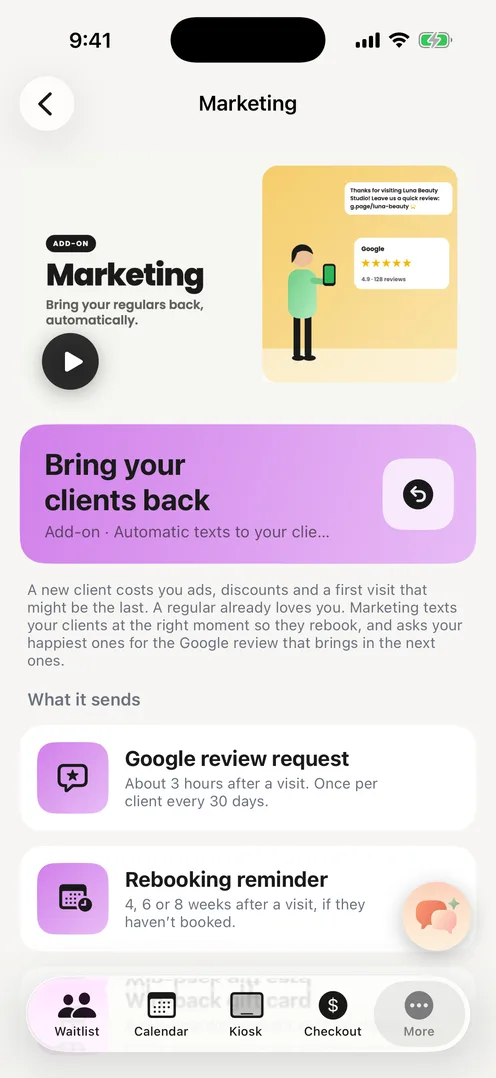
Three messages, three switches
Each recipe has its own switch on the Marketing page, on ozync.com or in the app. Turn on the review request alone if that is all you want.
- Google review request. A few hours after a visit, one text with your Google review link. Each client only ever gets it once, so nobody is nagged.
- Rebooking reminder. When a client is overdue, at 4, 6 or 8 weeks (you choose), one text with your booking link. Clients who already rebooked are skipped.
- Win-back offer. A client you have not seen in 8, 12 or 16 weeks gets a one-time discount by email, as a gift card they can add to their wallet. You set the amount; it expires in 30 days.
Texts for follow-ups, email for offers
The review request and rebooking reminder go by text, because they are about a visit the client just had and texts get read. Anything promotional, the win-back offer, coupons, birthday offers, goes by email only. Carriers block business numbers that send promotions by SMS, and a blocked number means your appointment confirmations stop too. Ozync keeps your number clean by design.
Clients can reply STOP to any text, and every marketing email carries an unsubscribe link. Opted-out clients are skipped automatically.
What it costs, and what is included
- $15 a month, or $150 a year, per location. Billed with your Pro plan, one renewal date.
- 400 marketing texts and 1,000 marketing emails per location per month. If you hit a cap, that channel pauses until the first; there is never an overage charge.
- Appointment confirmations and reminders, and the text when it is a client's turn, are not marketing. Every Ozync business has those, without the add-on.
- Wallet pass notifications: push a short message to every client's Apple or Google Wallet pass, up to eight a month. See the wallet pass page.
Setting it up
- 1Subscribe to Pro, then add Marketing from the Marketing page on ozync.com (sidebar, AI & marketing) or in the app (More, AI & marketing). App Store and Google Play subscribers switch to the Pro + Marketing plan in the same subscription.
- 2Link your Google Business Profile on the Google page, so the review request has somewhere to send people.
- 3Switch on the recipes you want and pick the timing for the reminder and the win-back.
- 4Watch the Marketing page: it shows what was sent, to whom, and how many texts and emails are left this month.
Why not just text clients yourself?
You can, and the Clients page lets you select a group and send one text from your phone. The difference is timing. A review request works best the same evening, a rebooking reminder on the exact week the client is due, and nobody at the front desk has time to track that for four hundred clients. The add-on sends the right message on the right day, every day, and stops when the client books.