Why salons lose bookings in their DMs
A salon's Instagram is its portfolio, and the message button sits right under it. Someone sees a set of knotless braids or a brow lamination at eleven at night and asks what it costs and when you are free. That is a client ready to book.
The trouble is timing. You are with a client, or asleep, and the answer comes hours later. An Instagram DM assistant closes that gap: the question is answered in the same thread while the client is still looking at your work, and the appointment is on your calendar before you pick up your phone.
How a booking happens in a DM
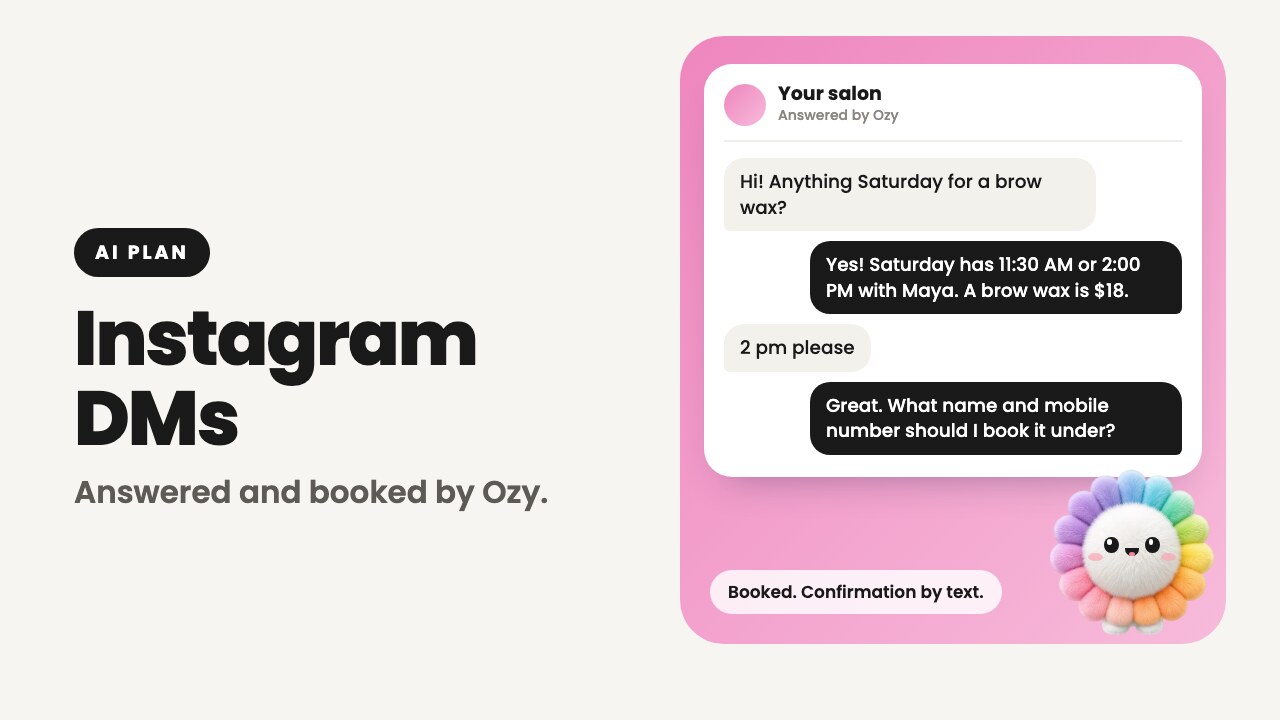
- 1A client messages your Instagram account: "Do you have anything Saturday for a brow wax?"
- 2Ozy checks your calendar and answers with the open times and the price from your service menu.
- 3The client picks a time. Ozy asks for their name and mobile number, and whether you can text them about the booking.
- 4Ozy books it. The appointment lands in your Ozync calendar like any other, with the service and the team member.
- 5The client gets a confirmation text. If you take a deposit, the secure link to pay it is in that text, never in the DM.
- 6You see the whole conversation in your Instagram inbox, exactly where it happened.
What Ozy knows and what it can do
Ozy reads the business details you already keep in Ozync, the same ones behind your booking website and your kiosk. There is no script to write and nothing to keep in sync.
- Answers questions about hours, services, prices, location and policies from your own details.
- Checks real availability and books appointments into the calendar your website and kiosk use.
- Adds a client to today's walk-in waitlist when you let clients join online.
- Quotes your cancellation and deposit policy when a client asks, and mentions it before booking.
- Replies in the language the client writes in.
- Says so when it doesn't know, rather than guessing a price.
You stay in charge of the inbox
Nothing moves out of Instagram. Messages still arrive in your inbox, Ozy's replies appear in the same thread, and you can read or join any conversation from your phone.
When you, or anyone on your team, reply in a chat from Instagram, Ozy stays out of that chat for 12 hours. A regular who wants to talk to you gets you. Each channel also has its own switch in your Ozync account: turn Instagram messaging off and messages simply wait for you, as they do today.
What it will not do
An assistant with your name on it needs clear limits. These are Ozy's on Instagram.
- It never messages anyone first. It only replies to a client who wrote to you, so there are no bulk DMs and no cold outreach.
- It reads typed messages only. An inspiration photo, a voice note or a sticker gets one short reply saying so, and you pick it up from there.
- It doesn't cancel or move existing bookings. It gives your phone number for that.
- It never asks for card details and never puts a payment or booking link in the DM. Those go to the client's phone by text.
- It doesn't book without a mobile number and a yes to booking texts, the same rule as your online booking form.
- It doesn't post, comment, follow or touch anything else on your account. It only answers messages.
Connecting your Instagram account
Setup takes a few minutes from your Ozync account on the web, and you sign in on Meta's own screen. Ozync never sees your Instagram password.
- 1Make sure your Instagram is a professional account, Business or Creator, and that it is linked to your Facebook Page (Instagram, Edit profile, Page).
- 2In your Ozync account, open AI, then Instagram messaging, and choose Connect.
- 3In Meta's window, choose your Instagram account and the Facebook Page it is linked to, and approve.
- 4The page shows your account as connected and the switch turns on. Send your salon a DM from another account to try it.
- 5Disconnect any time from the same page.
Pricing
Instagram messaging comes with the Pro + Marketing + AI plan: $99.99 a month or $999.99 a year per location, in the US and Canada. That plan also includes Facebook Page messaging, the AI Receptionist for missed calls, Ozy on the check-in kiosk, and everything in Pro and Marketing.
Ozync is free for your first 25 clients on Pro, with no card required, so you can set up your services and calendar before choosing a plan.
An AI assistant vs. a saved reply or away message
Saved replies and away messages are useful, and they are free. They send what you wrote in advance. The difference is whether the client's actual question gets answered.
| Feature | Ozy on Instagram | A saved reply or away message |
|---|---|---|
| Answers the question that was asked | Yes, from your hours, services and prices | Sends the same text each time |
| Checks open times and books | Yes, into your Ozync calendar | No, the client waits for you |
| Adds walk-ins to today's waitlist | Yes, when you allow online joins | No |
| Replies in the client's language | Yes | Only in the language you wrote |
| Steps back when you reply | Yes, for 12 hours in that chat | Not needed |
| Works at 11 PM | Yes | Yes |